
Customer Service +86-15195807515
Currency
Fast shipping on All Orders. No Minimum Purchase
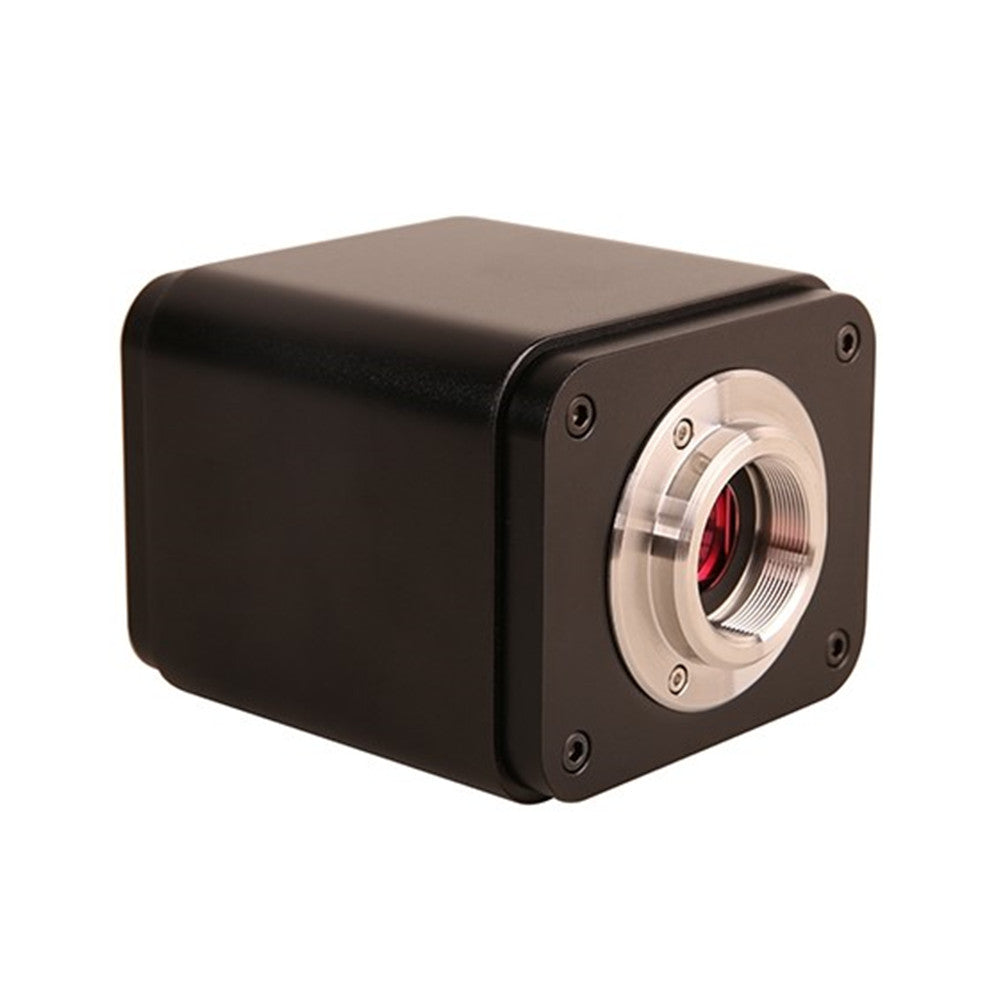



XCAMLITE4K HDMI/USB Multi-outputs 4K SONY Microscope Camera
The XCAMLITE4K series microscope camera is designed for high-resolution digital image acquisition from stereo microscopes and biological microscopes. Featuring a Sony Exmor back-illuminated CMOS sensor, this camera delivers outstanding image clarity, accurate color reproduction, and stable performance for industrial inspection, laboratory imaging, and educational applications.
With 4K HDMI and USB multi-output support, the XCAMLITE4K provides flexible connectivity for real-time display and computer-based image capture. The system automatically switches between 4K and 1080P according to the connected display resolution, ensuring optimal viewing quality in different working environments.
An integrated SD card slot allows direct storage of captured images and videos, while the embedded XCamView system enables standalone camera control without a PC. Combined with a powerful built-in ISP (Image Signal Processor) and advanced image processing functions, the XCAMLITE4K series ensures smooth operation, high image fidelity, and reliable performance.
The camera is fully compatible with ToupView / ToupLite software for Windows PC and ToupLite software for macOS, supporting image capture, analysis, and documentation workflows.
XCAMLITE4K Series Camera’s Datasheet
| Order Code | Sensor & Size(mm) | Pixel(μm) | G Sensitivity | FPS/Resolution | Binning | Exposure(ms) |
| XCAMLITE4K8MPA | Sony IMX334(C)
1/1.8″(7.68×4.32) |
2.0×2.0 | 505mv with 1/30s
0.1mv with 1/30s |
30@3840*2160(HDMI)
20@3840*2160(USB) |
1×1 | 0.04~1000 |
| XCAMLITE4K8MPB | Sony IMX485(C) 1/1.2″(11.14×6.26) | 2.9×2.9 | 2188mv with 1/30s 0.39mv with 1/30s | 30@3840*2160(HDMI)
20@3840*2160(USB) |
1×1 | 0.04~1000 |
| XCAMLITE4K8MPC
|
Sony IMX678(C)
1/1.8″(7.68×4.32)
|
2.0×2.0 | 1364mv with 1/30s 0.15mv with 1/30s |
30@3840*2160(HDMI) 20@3840*2160(USB) |
1×1 | 0.04~1000 |
| XCAMLITE4K8MPD | Sony IMX585(C)
1/1.2″(11.14×6.26) |
2.9×2.9 | 1028mv with 1/30s
0.13mv with 1/30s |
30@3840*2160(HDMI)
20@3840*2160(USB) |
1×1 | 0.04~1000 |
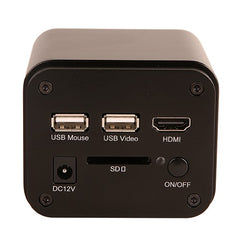
Available Ports on the Back of the Camera Body

Figure 3‑1 Available Ports on the Back Panel of the Camera Body
| Interface | Function Description |
| USB Mouse | Connect USB mouse for easy operation with embedded XCamView software; |
| USB Video | Connect PC or other host device to realize video image transmission; |
| HDMI | Comply with HDMI1.4 standard. 4K or 1080P format video output for standard monitor; |
| DC12V | Power adapter connection (12V/1A); |
| SD | Comply with SDIO3.0 standard and SD card could be inserted for video and images storage; |
| LED | LED status indicator; |
| ON/OFF | Power switch; |
XCAMLITE4K Series Camera Function Description
Video Output
| Video Output Interface | Function Description |
| HDMI Interface | Comply with HDMI1.4 standard;
30fps@4K or 30fps@1080P; |
| USB Video Interface | Connecting USB port of PC for video transfer ;
MJPEG format video; |
Image Capture and Video Saving in SD Card
| Function Name | Function Description |
| Video Saving | Video format:8M(3840*2160) H264/H265 encoded MP4 file;
Video saving frame rate:30fps; |
| Image Capture | 8M (3840*2160) JPEG/TIFF image in SD card ; |
| Measurement Saving | Measurement information saved in layer mode with image content;
Measurement information is saved together with image content in burn in mode. |
ISP Function
| Function Name | Function Description |
| Exposure / Gain | Automatic / Manual Exposure |
| White Balance | Manual / Automatic / ROI Mode |
| Sharpening | Supported |
| 3D Denoise | Supported |
| Saturation Adjustment | Supported |
| Contrast Adjustment | Supported |
| Brightness Adjustment | Supported |
| Gamma Adjustment | Supported |
| 50HZ/60HZ Anti-flicker Function | Supported |
Image Operation Function
| Function Name | Function Description |
| Zoom In/Zoom Out | Up to 10X |
| Mirror/Flip | Supported |
| Freeze | Supported |
| Cross Line | Supported |
| Overlay | Supported |
| Embedded Files Browser | Supported |
| Video Playback | Supported |
| Measurement Function | Supported |
Other Functions
| Function Name | Function Description |
| Embedded RTC(Optional) | To support accurate time on board |
| Restore Factory Settings | Supported |
| Multiple Language Support | English / Simplified Chinese / Traditional Chinese / Korean / Thai / French / German / Japanese / Italian / Russian |
XCAMLITE4K Series Camera Packing Information(TBD)
 Figure 5‑1 The XCAMLITE4K Series Camera Packing Information
| Standard Packing List | |||
| A | Gift box : L:25.5cm W:17.0cm H:9.0cm (1pcs,1.43kg/ box) | ||
| B | XCAMLITE4K series camera | ||
| C | Power Adapter: Input: AC 100~240V 50Hz/60Hz, Output: DC 12V 1A
American standard: Model: GS12U12-P1I 12W/12V/1A: UL/CUL/BSMI/CB/FCC EMI Standard:EN55022,EN61204-3, EN61000-3-2,-3, FCC Part 152 class B, BSMI CNS14338 EMS Standard:EN61000-4-2,3,4,5,6,8,11,EN61204-3,Class A Light Industry Standard |
||
| European standard:Model:GS12E12-P1I 12W/12V/1A; TUV(GS)/CB/CE/ROHS
EMI Standard:EN55022,EN61204-3, EN61000-3-2,-3, FCC Part 152 class B, BSMI CNS14338 EMS Standard:EN61000-4-2,3,4,5,6,8,11,EN61204-3,Class A Light Industry Standard |
|||
| D | USB Mouse | ||
| E | HDMI cable | ||
| F | USB2.0 A male to A male gold-plated connectors cable /2.0m | ||
| G | CD (Driver & utilities software, Ø12cm) | ||
| Optional Accessory | |||
| H | SD card(16G or above; Speed: class 10) | ||
| I | Adjustable lens adapter | C-Mount to Dia.23.2mm eyepiece tube (Please choose 1 of them for your microscope) |
108001/AMA037 108002/AMA050 108003/AMA075 |
| J | Fixed lens adapter | C-Mount to Dia.23.2mm eyepiece tube (Please choose 1 of them for your microscope) |
108005/FMA037 108006/FMA050 108007/FMA075 |
| Note: For K and L optional items, please specify your camera type(C-mount, microscope camera or telescope camera), our engineer will help you to determine the right microscope or telescope camera adapter for your application; | |||
| K | 108015(Dia.23.2mm to 30.0mm Ring)/Adapter rings for 30mm eyepiece tube | ||
| L | 108016(Dia.23.2mm to 30.5mm Ring)/ Adapter rings for 30.5mm eyepiece tube | ||
| M | Calibration kit | 106011/TS-M1(X=0.01mm/100Div.); 106012/TS-M2(X,Y=0.01mm/100Div.); 106013/TS-M7(X=0.01mm/100Div., 0.10mm/100Div.) |
|
Camera Working Standalone with Built-in XCamView Software
 Figure 7‑1 XCAMLITE4K Series Camera with the HDMI Displayer
For this application, apart from the microscope, the user only needs an XCAMLITE4K series camera, an HDMI display, an HDMI cable, an SD card, a USB mouse and a power adapter that come with the camera. The steps to start the camera are listed as below:
- Connect the camera to a HDMI display using the HDMI cable;
- Insert the supplied USB mouse to the camera’s USB port;
- Insert the supplied SD card into the XCAMLITE4Kseries camera SD card slot;
- Connect power adapter to the camera the and switch it on.;
- Switch on the display and view the video in the XCamView Move the mouse to the left, top or bottom of the XCamView UI, different control panel or UI will pop up and users could operate with the mouse at ease.
Connecting camera to the PC with USB port
For Windows user (Windows XP (32bit), Windows 7/8/10 (32/64 bit) ), please use ToupView.
For macOS and Linux user (macOS 10.10 or above or Linux distributions with kernel 2.6.27 or higher), please use ToupLite.
The steps to start the camera are listed below:
- Install the ToupView/ToupLite on your PC;
- Connect power adapter to the camera the and switch it on. After starting the camera, plug one end of the USB cable into the USB 2.0 port of the XCAMLITE4K series camera, and plug the other end into the USB port of the PC;
- Open ToupView/ToupLite The XCAMLITE4K series camera will be recognized automatically by software. In ToupView/ToupLite software, select the corresponding XCAMLITE4K series camera by clicking the camera name in the camera list.
Note:
When the USB cable and the mouse are plugged into the camera at the same time, the USB cable is preferred and the mouse is not available; when the USB cable is unplugged, the mouse can be used normally.
Nam tempus turpis at metus scelerisque placerat nulla deumantos solicitud felis. Pellentesque diam dolor, elementum etos lobortis des mollis ut risus. Sedcus faucibus an sullamcorper mattis drostique des commodo pharetras loremos.Donec pretium egestas sapien et mollis. Pellentesque diam dolor cosmopolis etos lobortis.
- Comodous:
- Comodous in tempor ullamcorper miaculis
- Mattis laoreet:
- Pellentesque vitae neque mollis urna mattis laoreet.
- Divamus de ametos:
- Divamus sit amet purus justo.
- Molestie:
- Proin molestie egestas orci ac suscipit risus posuere loremous
Returns Policy
You may return most new, unopened items within 30 days of delivery for a full refund. We'll also pay the return shipping costs if the return is a result of our error (you received an incorrect or defective item, etc.).
You should expect to receive your refund within four weeks of giving your package to the return shipper, however, in many cases you will receive a refund more quickly. This time period includes the transit time for us to receive your return from the shipper (5 to 10 business days), the time it takes us to process your return once we receive it (3 to 5 business days), and the time it takes your bank to process our refund request (5 to 10 business days).
If you need to return an item, simply login to your account, view the order using the "Complete Orders" link under the My Account menu and click the Return Item(s) button. We'll notify you via e-mail of your refund once we've received and processed the returned item.
Shipping
We can ship to virtually any address in the world. Note that there are restrictions on some products, and some products cannot be shipped to international destinations.
When you place an order, we will estimate shipping and delivery dates for you based on the availability of your items and the shipping options you choose. Depending on the shipping provider you choose, shipping date estimates may appear on the shipping quotes page.
Please also note that the shipping rates for many items we sell are weight-based. The weight of any such item can be found on its detail page. To reflect the policies of the shipping companies we use, all weights will be rounded up to the next full pound.
| Drostique | Nam tempus turpis at metus scelerisque placerat nulla deumantos |
| Pharetro Lorem | Pellentesque diam dolor elementum etos lobortis des mollis |
| Milancelos | Donec pretium egestas sapien et mollis |
| Pellentesque | Sedcus faucibus an sullamcorper mattis drostique des commodo pharetras |
| Proin Molestie | Pellentesque diam dolor elementum etos lobortis des mollis |
| Cosmopolis | Donec pretium egestas sapien et mollis |
- Choosing a selection results in a full page refresh.